Business can already be complicated enough – messaging your customers should be easy. Read our no-nonsense guide to bulk SMS marketing.
Step 1: Generate your SMS marketing leads
Already built a list of customers who have opted in to SMS? Skip to step 2.
Whether you’re introducing SMS as a channel or encouraging new leads to opt in, here’s some awesome lead generation options:
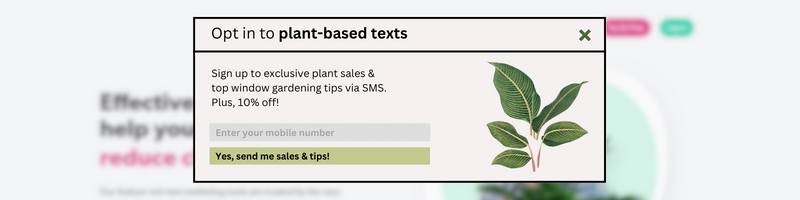
Checkout opt-in: Why not add an opt-in tick box as part of an existing customer journey? For example, you could include an SMS opt-in in your checkout process.
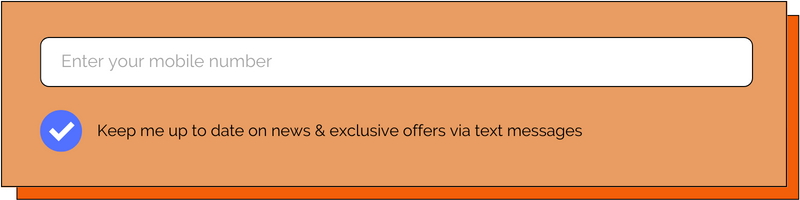
A website form: Use a ready-made integration with FireText via Zapier, so that when a user signs up, they are automatically added to FireText as a contact. See this Typeform example.
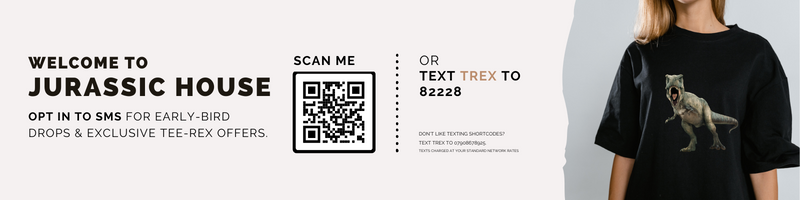
QR code: Perfect for posters, you can create a QR code that allows people to scan and text a relevant opt-in keyword to you. The QR code requires a link, which we can either create for you or you can make in an easy app like www.qrcode-monkey.com.
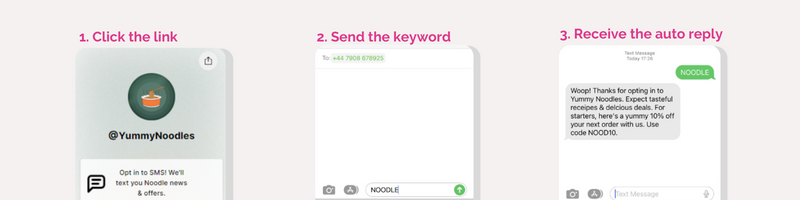
Tap-to-text link: The ‘tap-to-text’ link is super handy in a ‘link-in-bio’ or website. Essentially, when a lead clicks the link, they are taken to a message box with a pre-filled keyword. When they send the keyword, they opt in.
Check out our lead generation guide for more details on your options.
Step 2: Write your text message
At FireText, our biggest focus is to help customer’s create the best SMS content. Here’s the key elements to include in your message:
An introduction: Something as simple as ‘Hey, it’s Hannah from Flower Spa‘ builds rapport.
Add context: Is this your first time interacting? How can you personalise your message to them? For example, ‘As a VIP, you get early-bird access to our 38% off self-care spa sets.’
Include a clear time limit: Add a little bit of urgency to encourage purchases. For example, ‘Don’t walk, run to your relaxation – sale ends Thursday at midnight!’
Use emojis if effective: An emoji can transform the way a sentence looks, making your message extra fun and friendly. For example, ‘No codes necessary 🙌’
Step 3: Create your call to action
Use action-based wording: Prompt your audience with ‘doing’ words in your bulk SMS marketing messages. For example: Check out / Shop now / Grab your tickets / Sign up / Click here
Keep it simple: Try to stick to one main call to action and make the customer’s action as easy as possible for them.
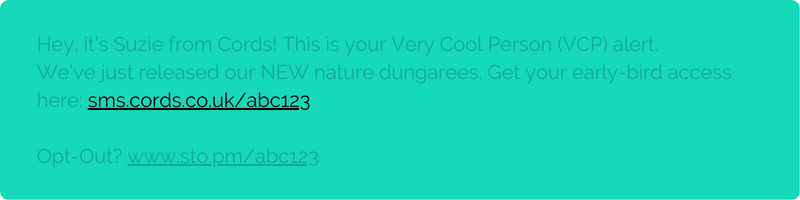
Use a branded trackable URL: Use our track URL tool to make your text links trackable. Or even better – with our help, set up a vanity URL, so the trackable link is branded to you! See the example below 👇
Step 4: Include an opt-out
We’d always recommend including an opt-out in your text messages. Anyone can opt out if they wish, and by giving this option, you’re ensuring you’re communicating with an actively engaged audience.
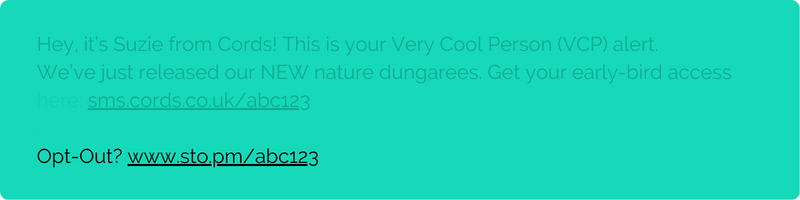
A URL opt-out is a link you can include at the end of your text messages. Once we create this for you, it would look something like this, with the URL personalised to your brand:
Step 5: Send your SMS (don’t forget to test send)
Before you send, check the following:
- Have you test sent your message to yourself first?
- What time are you sending/scheduling your message for?
- Put yourself in your audience’s shoes – is it clear who you are? Is your call to action clear and compelling?
- Have you included a clear opt-out?
For a full SMS campaign checklist, check out our ultimate pre-send PDF.
Step 6: Review & adapt
After your bulk SMS marketing campaign, think about what did and didn’t work. Use our reporting features to analyse performance. Within your FireText account, you can see:
A delivery report: See a full breakdown of what has and hasn’t been delivered. The delivery report tells you the percentage of deliveries, and any failed deliveries likely due to invalid numbers/no signal/phones being turned off. This allows you to cleanse your data with every campaign.
A click report: If you included a FireText track URL in your messages, you can view the results of who has and hasn’t clicked – helping you analyse the performance of your campaigns and constantly improve. You can also use the click report to follow up with clickers and non-clickers, segmenting these groups with a different targeted message.

